Inside the terminal.
ProTrade puts a professional execution stack on top of Polymarket liquidity: ladders that show real depth, hotkeys that fire without confirmation dialogs, and P&L that updates while the game moves.
Everything on one board
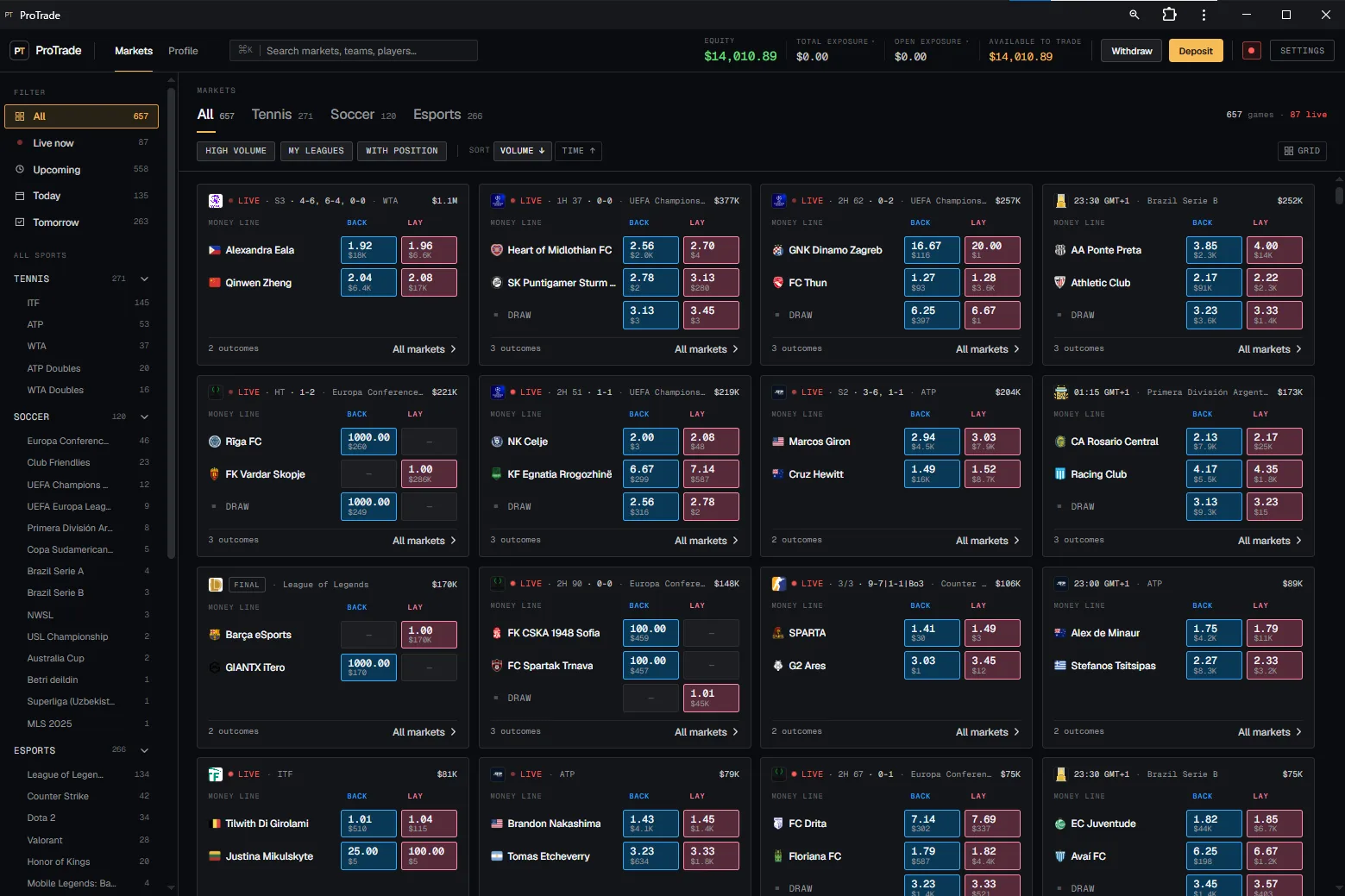
Tennis, soccer and esports in a single list, filtered by live, today, tomorrow or your own leagues.
Ladders that read like a book
Real depth on both sides, your working orders inline, and if-win printed against every price.
Keys instead of clicks
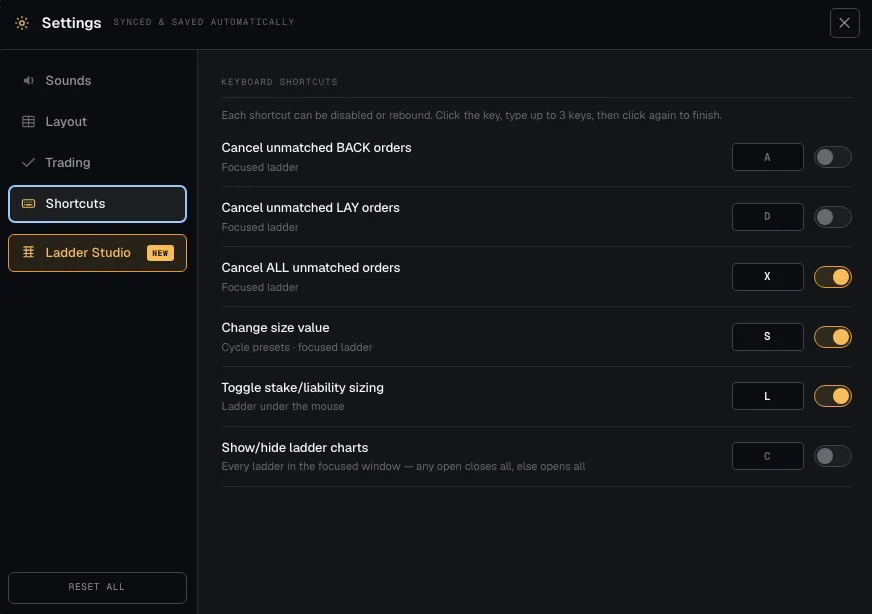
Cancel, resize and flip sizing mode from the keyboard, on the ladder under your mouse.
Every market you trade, in one list.
657 games with 87 running live: prices, traded volume and outcome counts on one screen, filtered by sport, league or the games you already hold.
Depth, your orders and last traded in one column.
The ladder is the whole interface. Every rung shows the book on both sides, what you have working there, and what your position pays if the market settles at that price.
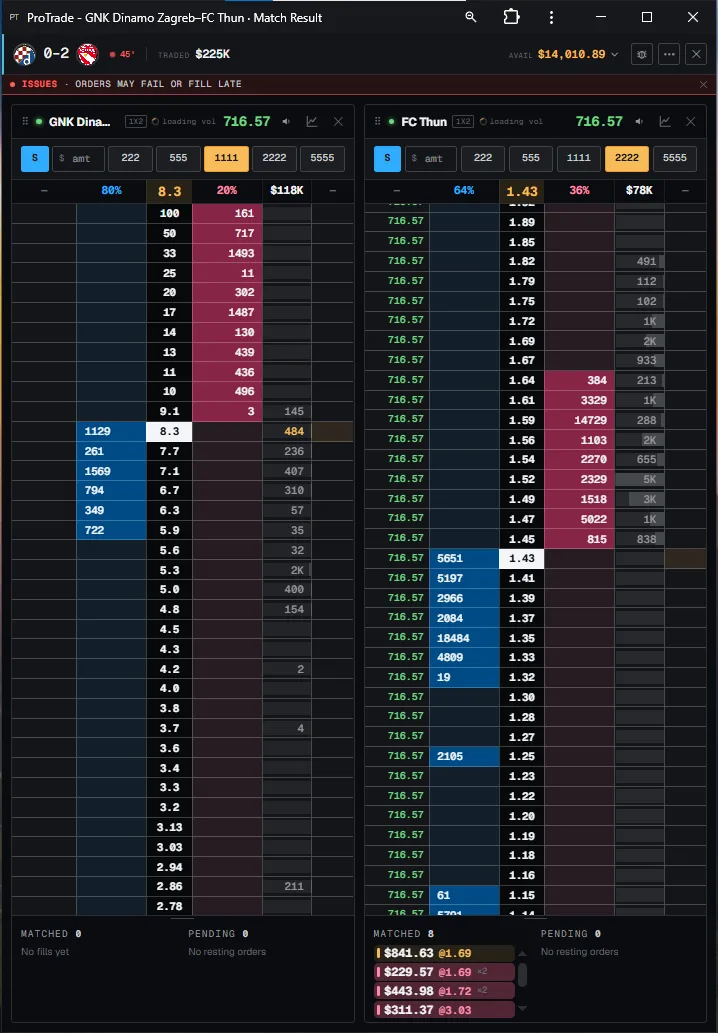
Click to place, drag to move
Place at a rung with one click and drag an existing order to a new price without cancelling and re-entering it.
If-wins and if-loses per rung
Both outcomes are printed against every price, so you can see what a fill does to the book before you send it.
Working orders inline
Your own resting size sits on the price it belongs to — never in a separate table you have to cross-reference.
Keyboard-first, because a mouse costs you fills.
The actions you take twenty times a game are single keys. Every shortcut can be disabled or rebound — click the key, type up to three keys, click again to finish.
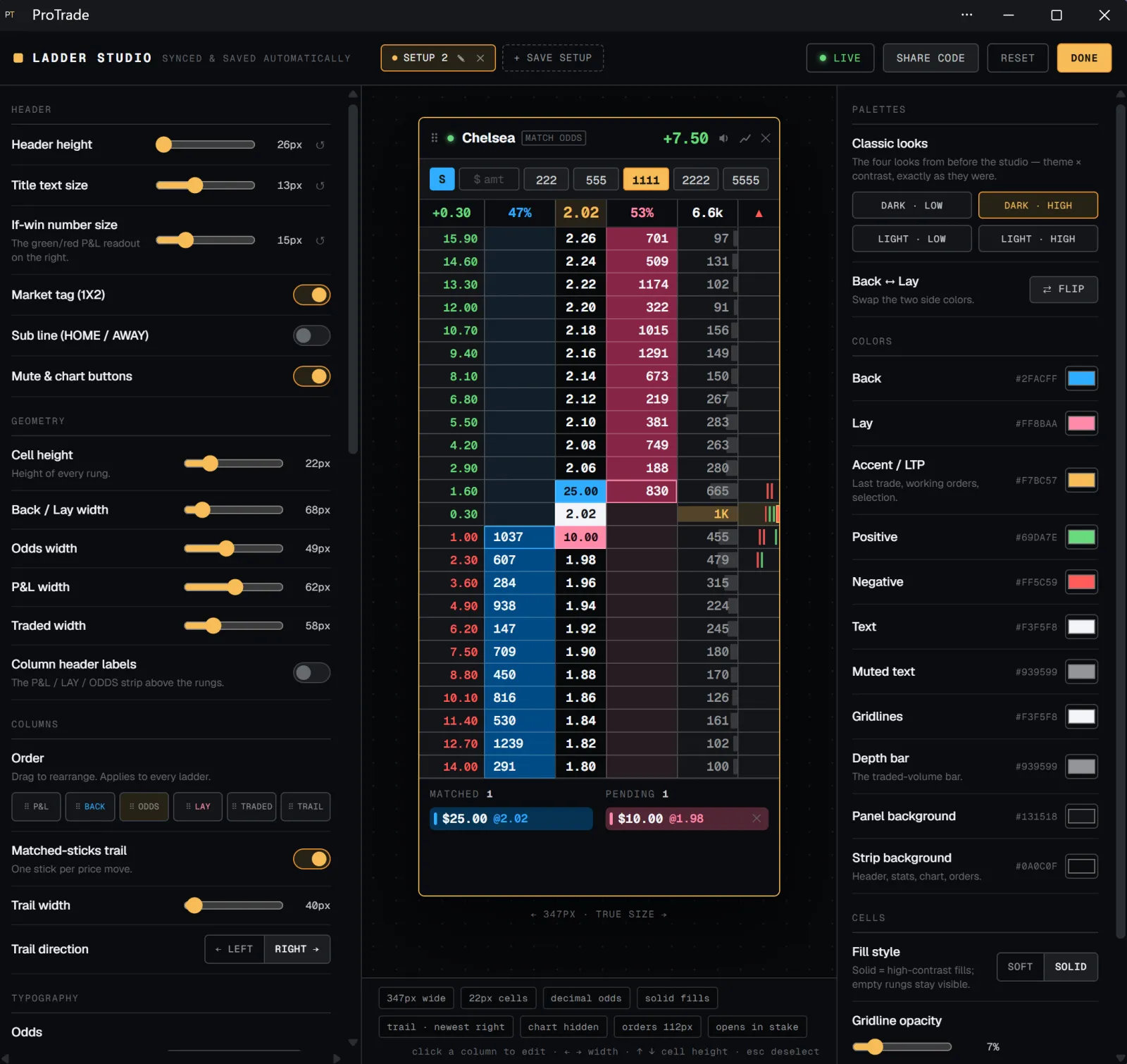
Rebuild the ladder until it reads the way you think.
Ladder Studio is every ladder option in one full-screen editor with a live ladder next to it: geometry, column order and widths, per-column type, and every colour. Saved setups and share codes travel with you.
Geometry and columns
Cell height, back/lay and odds widths, column order by drag — applied to every ladder at once.
Palettes and contrast
Four classic looks or your own hex values for back, lay, accent, gridlines and panel backgrounds.
Setups and share codes
Save named setups, switch between them mid-session, and hand a share code to someone else.
The rest of the desk.
Multi-game popouts
Pull any market into its own window and fill a monitor with games, each keeping its own stake and order state.
Position and P&L panel
Matched and pending in one place, per market and across the book, so you always know your real exposure.
Import or create in a minute
Bring the Polymarket wallet you already use, or generate a self-custody wallet through our Privy partnership.
Your record, not a feeling.
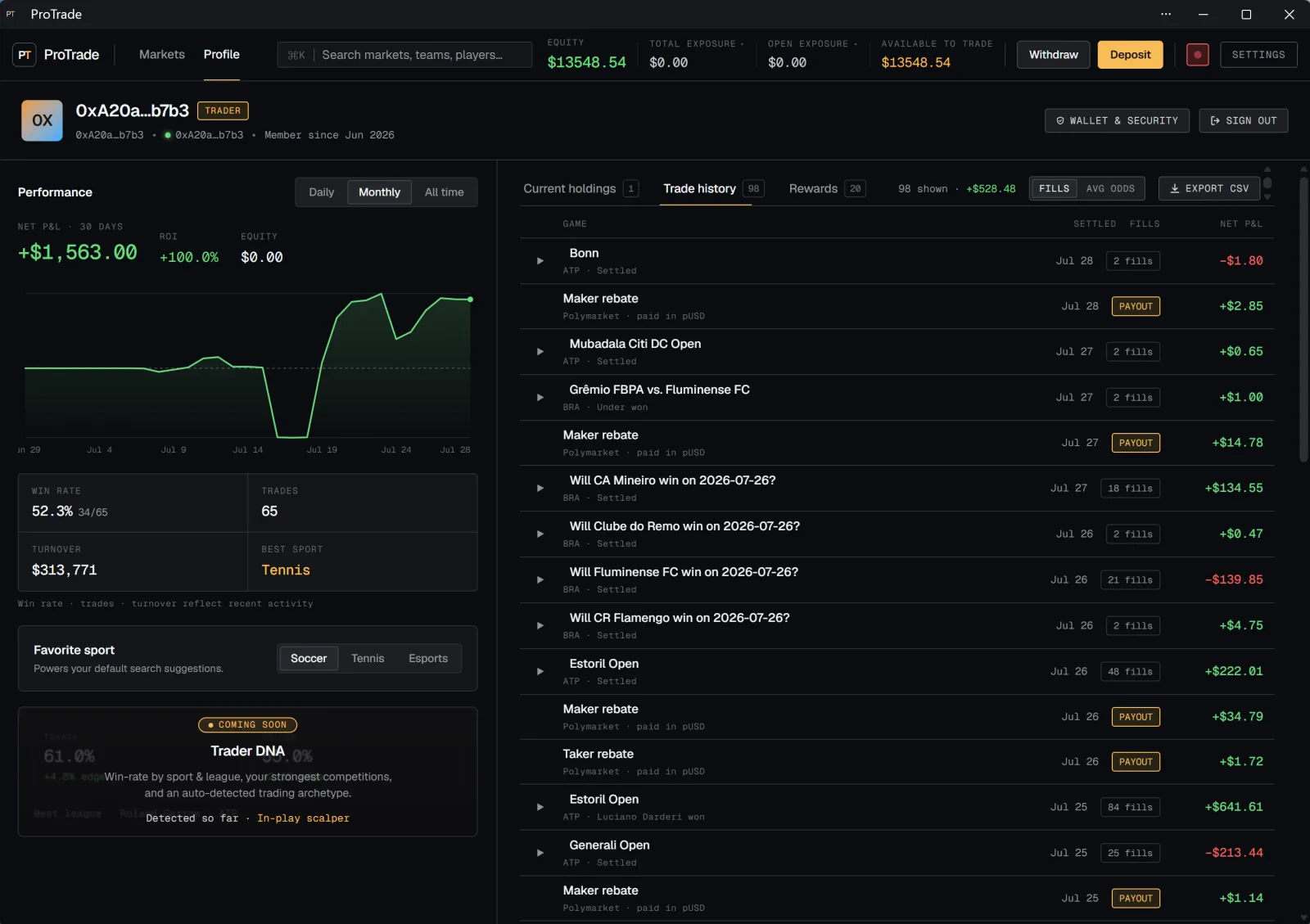
The profile view keeps the P&L curve, win rate, trades, turnover and best sport next to a full fill history — every trade, rebate and payout, exportable as CSV.
From nothing to a live ladder in under a minute.
No download, no KYC forms, no bridging. Open the app, get a wallet, fund it — the terminal is already loaded behind the modal.
- 01 · 10 SECONDS
Open the app
Sign in with email or an existing wallet. Privy provisions a self-custody wallet in the background — nothing to download.
- 02 · 30 SECONDS
Fund it
Deposit USDC on Polygon, or import the Polymarket wallet you already trade with. Your proxy address re-derives with the same balance and open positions.
- 03 · IMMEDIATELY
Pick a market and trade
Search the fixture, open the ladder, set your hotkeys once. Defaults are ready out of the box.
- Create account→